
Brand voice and appearance
Two settings tabs make Flint sound like your brand and look like part of your app: Brand Voice shapes the words the AI produces; Appearance styles the chatbox launcher.
Brand voice
Flint → Settings → Brand Voice. Three fields shape every rewrite and every piece of generated copy.
| Field | Default |
|---|---|
| Tone adjectives | warm, witty, confident, plain-spoken |
| Forbidden words | synergy, leverage, click here, free!! |
| Voice sample | (a short passage of your writing used as a style reference) |
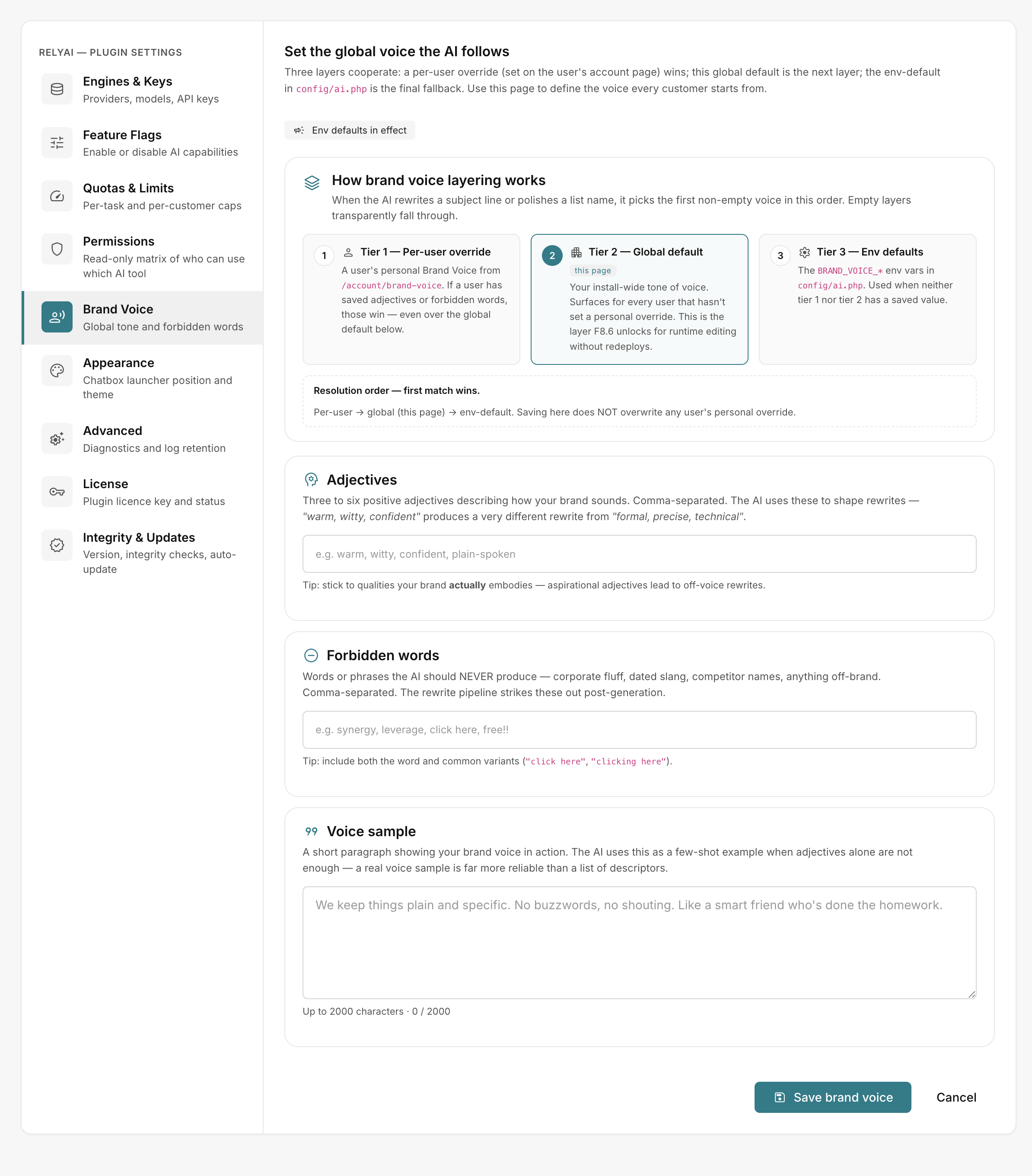 Flint → Settings → Brand Voice
Brand voice resolution order
Flint resolves brand voice in hierarchical order:
- Per-user setting: User-specific voice configuration.
- Global setting: System-wide settings under Brand Voice.
- Built-in default: Standard preset tone.
Appearance
Flint → Settings → Appearance styles the chatbox launcher.
| Field | Default | Other options |
|---|---|---|
| Launcher position | bottom-right | top-right, in the top bar, beside search |
| Color theme | pastel violet | teal, orange, green, indigo |
| Launcher glyph | sparkles | chat bubble, magic wand, star, helper, bolt, brain, robot, concierge, forum |
| Unread-dot animation | pulse | static, hidden |
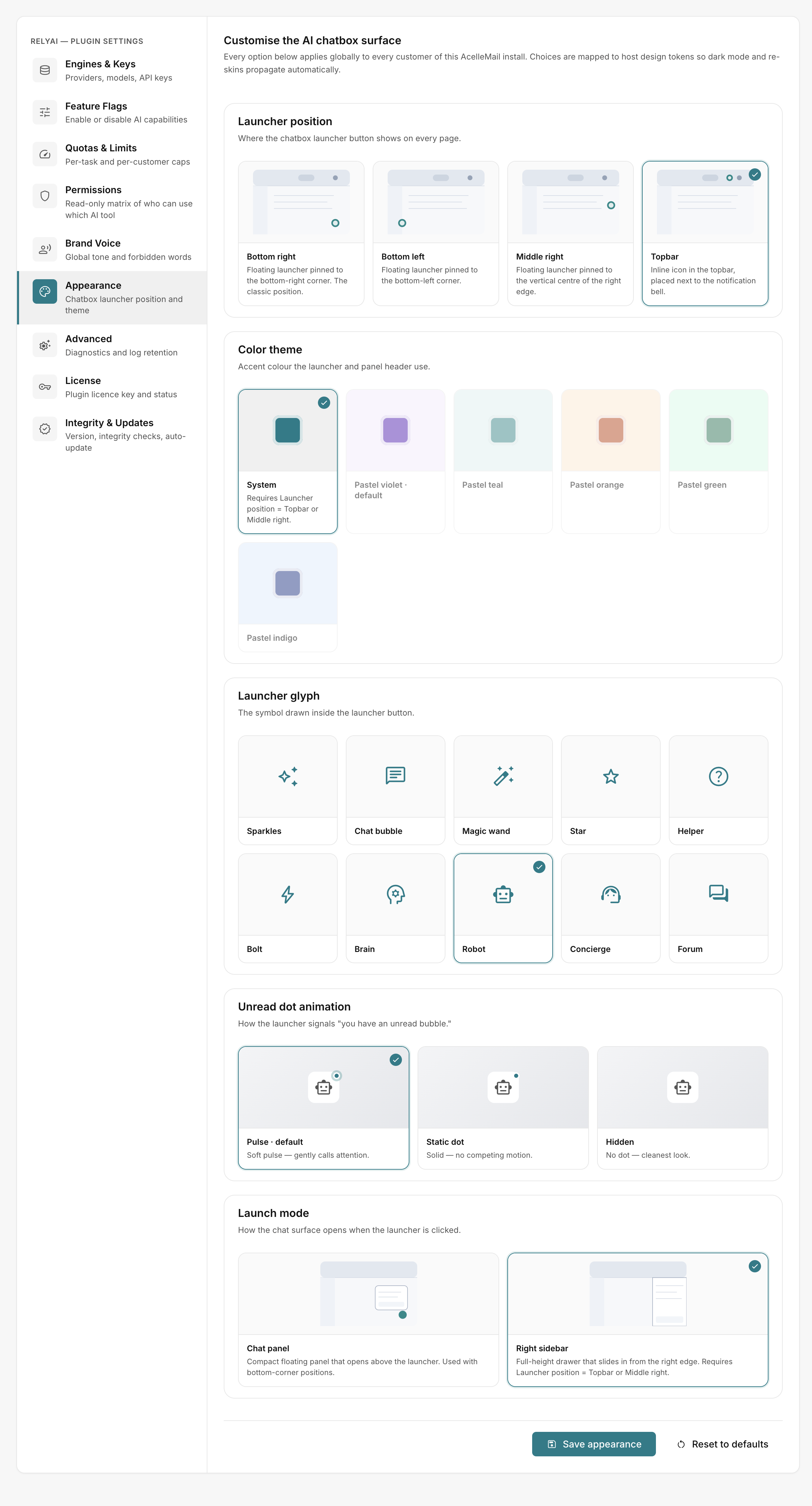 Flint → Settings → Appearance
Pick a position and theme that fit your admin skin, then check the chatbox to see the launcher in place.